by
User Not Found
| Jun 10, 2016
As we begin to see more and more users moving to Windows 10, we here at Messenger would like to take a moment to address an important issue in regards to browser compatibility with Make It! Personal. Our cloud application requires a technology known as Microsoft Silverlight. This software package is very much comparable to Adobe Flash in form and function, as it is installed as a prerequisite for enabling certain content found on various websites. Therefore, our choice of browser for use with Make It! Personal is dependent upon the browser’s compatibility with Silverlight.
Currently Make It! Personal is compatible with Microsoft Internet Explorer and Mozilla Firefox.
With the introduction of Windows 10, Microsoft has included a new internet browser bundled with their operating system: Microsoft Edge. Microsoft Edge is their answer to Google’s Chrome browser-- a lightweight browser with no add-ons, which means no Silverlight, and therefore, Make It! Personal will not work with these browsers.
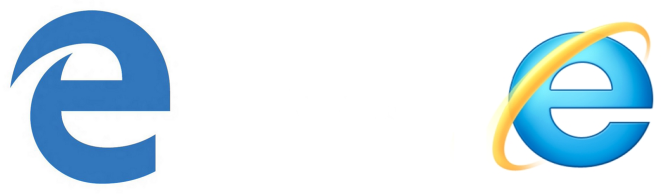
In addition, Microsoft has made their two browsers’ desktop icons confusingly similar to each other:
Icon for Microsoft Edge Icon for Internet Explorer
To compound matters further, while Internet Explorer is installed with Windows 10, Microsoft is hiding all references to it in their new operating system. Fortunately, it’s quite simple to "unhide" it with just a few quick steps:
-
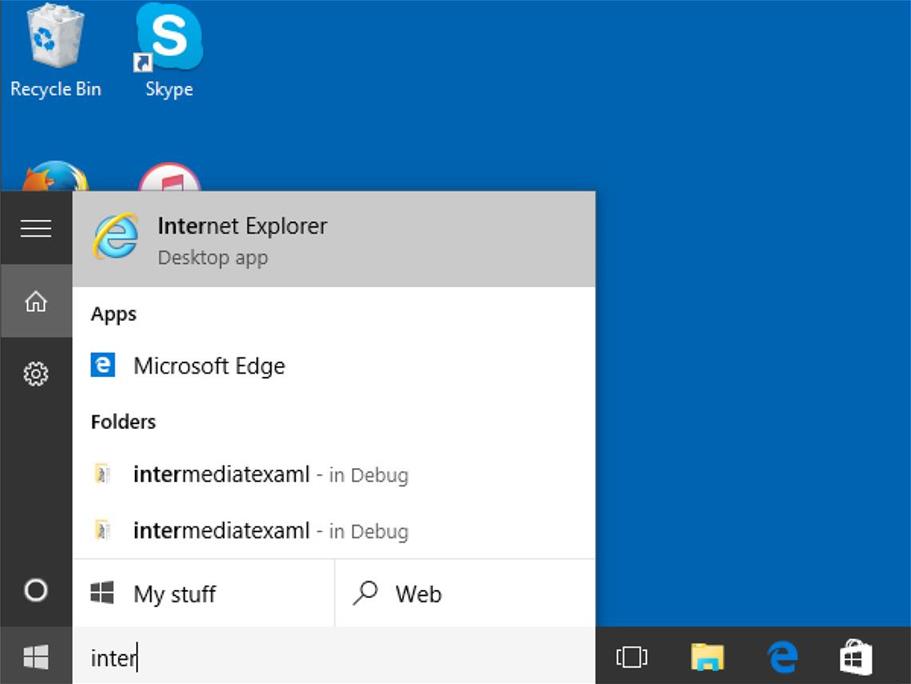
Begin by clicking your Start button at the lower left corner of your desktop.
- Start to type the words: "Internet Explorer" into the integrated search bar in your Start menu.
- Even after just a few letters, you should see entry for Internet Explorer appear.
- Once you see the Internet Explorer icon appear, right-click on it, and select Send to --> Desktop (create shortcut). You should now have a shortcut icon for it on your desktop!